Hey there, it’s Jake from the LED Strobe Light Co.—I’ve been helping warehouses, event production teams, and even small shop owners get their lighting set just right for over seven years, and let me tell you, one of the most common questions I get is this: “How do I properly set the timer for an LED strobe light?” LED Strobe Light
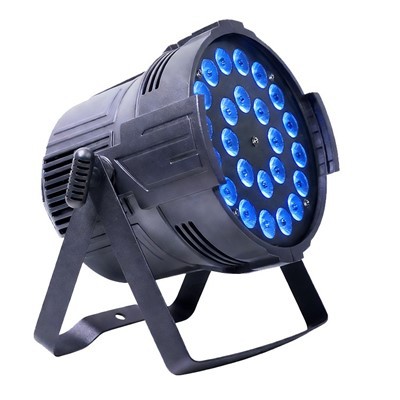
It might seem like a tiny detail—tapping a few buttons or plugging a number into a digital screen—but get that timer wrong, and you’ll end up with either a strobe that’s too blinding (distracting workers in a warehouse, ruining a concert set) or too dim (failing to warn drivers of a construction zone, or not packing enough punch for a party). As someone who ships LED strobe lights to 12 countries a month, I’ve walked every step of this process with customers, from first-time buyers who just unboxed their light to seasoned event technicians who need to fine-tune a system for a 10,000-person festival.
Today, I’m breaking this down like I would for my next door neighbor who just bought a strobe for his backyard auto shop (yeah, he actually did that last year)—no fancy jargon, just real tips that’ll work for whatever you’re using your LED strobe light for. Let’s start with the basics, because knowing the “why” behind a setting is way better than guessing.
First, Let’s Talk About: What Your Timer Controls (And Why It Matters)
Before you press a single button, let’s get on the same page about what a strobe light’s timer actually does. I see a lot of folks mix up “flash rate” with “timer settings,” and that’s a big mistake. Your timer isn’t just about how fast the light flashes—it’s about when it turns on, when it turns off, how long it stays on between flashes, and even how long the entire strobe runs.
For example, if you’re using a strobe light as a safety warning for a construction site, your timer isn’t just setting a 10-second flash interval—it’s making sure it turns on automatically at dawn (or when the sun sets, if you set a dusk sensor tie-in) and shuts off at 6 PM when the crew leaves, so it doesn’t waste battery or blind passing drivers during the day. If you’re using one for a DIY rave in your garage, your timer might be set to run for 3 hours straight (no need to leave it on all night) and sync flashes to the beat of your playlist.
LED strobe lights have two main types of timers, by the way—analog and digital. I still sell a handful of analog ones for small projects, like a kid’s Halloween prop, but 9 out of 10 customers go digital now, because they’re way more precise. Analog timers are usually dials: turn one to set the interval between flashes, another to set run time. Digital timers have screens and up/down buttons, so you can set exact numbers like “1.5 seconds between flashes, 45 minutes total run time.” The steps I’ll walk you through work for both, but I’ll call out digital-specific tips since they’re the most common these days.
Step 1: Pick the Right Timer Type For Your Job (Don’t Buy the Wrong One First)
This is the step most people skip, and it comes back to bite them. Let’s be real: you wouldn’t use a tiny 10-watt LED strobe meant for a closet to warn a semi-truck driver of a 10-foot drop at a construction site, right? Same logic applies to timers. Here’s what I tell customers when they’re choosing a timer type, based on their use case:
- If you need a strobe for short, casual use (backyard parties, Halloween costumes, small garage projects): Go with a built-in analog or basic digital timer. These are cheap, easy to adjust, and last for months of occasional use. I keep a spare one in my workshop for when I’m fixing my classic truck—no fancy stuff needed.
- If you need a strobe for commercial or industrial use (construction zones, warehouse safety, event stage lighting): Get a programmable timer that lets you set specific start/end times, not just run duration. For example, I sold a set of 12 LED strobe lights to a utility company last quarter; they needed the lights to turn on automatically at 7 PM when line workers were wrapping up, flash every 2 seconds until 5 AM, then shut off—no one was there to press a button every night, so a programmable timer was non-negotiable.
- If you’re using a strobe in a hard-to-reach place (high warehouse rafters, rooftop event rigs): Get a timer with a memory function, so if the power cuts out, it doesn’t reset to default settings. I’ve had customers climb 30 feet to a warehouse light and find their strobe is flashing every 10 seconds when they need it every 2—all because the power flickered and the timer reset. Memory functions save you that headache.
One quick note: Always check your strobe’s voltage first. A timer rated for 120 volts won’t work with a 240-volt commercial strobe, and vice versa. I include a compatibility chart in every product manual I ship, but if you’re not sure, just send me a quick message before you hook anything up—way better than frying a $200 strobe light.
Step 2: Calculate the Strobe’s Flash Rate (Don’t Blind Anyone)
Once you have the right timer, the next big number is flash rate—how many times the strobe flashes per minute, or how much time passes between each flash. This is where most people make a mistake that leads to problems.
The “safe” flash rate depends entirely on what you’re using the strobe for:
- Safety applications (construction, emergency vehicles): For pedestrian safety, the flash rate should be between 60 and 120 flashes per minute (FPM). Why? Below 60 FPM, it’s too easy to miss—someone driving past a construction zone might not notice a strobe flashing once every 10 seconds. Above 120 FPM, it can cause epileptic seizures (the WHO recommends strobes stay below 100 FPM for public areas) and even disrupt workers’ concentration. I always tell my commercial customers to test the rate at midday first, not just at night—daytime light is way brighter, so a strobe that works at 80 FPM at night might not stand out at all during the day.
- Event/entertainment use (parties, concerts): Here, flash rate is subjective to the vibe, but most event techs stick between 120 and 180 FPM. For a high-energy EDM set, you might crank it to 180 FPM to match the beat; for a mellow jazz event, 100 FPM is enough to add atmosphere without overstimulating the crowd. I once had a wedding client come back to me and say their strobe was “too busy” for their first dance—they had it set to 200 FPM, which is way too high for a quiet moment. We adjusted it to 90 FPM, and they ended up using the photo as their website banner.
- Casual use (costumes, garage projects): For these, it’s fine to play around—20 to 60 FPM is totally normal. If you’re making a Halloween ghost costume, a strobe flashing every 2 seconds (30 FPM) is creepy, not annoying.
How do you set flash rate on a timer? For analog dials, there’s usually a number on the dial that lines up with “FPM” or “interval seconds”—if it says “1 second interval,” that’s 60 FPM. For digital timers, you’ll usually see a screen that says “Flash Interval” or “Freq” (frequency), so you can punch in 0.5 seconds for 120 FPM, 1.5 seconds for 40 FPM, etc. I always suggest setting it a little lower than you think you need, then tweaking up—you can always make it brighter, but you can’t turn a too-bright strobe into a dim one.
Step 3: Set Run Time (Don’t Waste Power)
Okay, flash rate is set—now you need to tell the timer how long the strobe should actually be on. This is super straightforward, but it’s easy to forget if you’re in a hurry.
Run time is just how many minutes or hours the strobe stays active before turning off. For battery-powered LED strobes (super popular for portable construction signs or Halloween props), setting a run time is critical to make sure the battery doesn’t die mid-shift or mid-party. A 50,000 mAh battery will power a strobe for 10 hours at 100 FPM, but only 2 hours at 200 FPM—so if you’re using a battery-powered strobe for an all-day event, you need to adjust run time or even grab a spare battery.
For plug-in LED strobes (most commercial ones), run time is about saving energy. If you’re using a strobe for a garage sale that runs from 8 AM to 2 PM, set the timer to turn off at 2 PM—no need to leave it on until 8 PM. For commercial applications, I always recommend adding a 10-minute buffer. If your workday ends at 5 PM, set the timer to shut off at 4:50 PM, not 5 exactly. That way, if the crew wraps up early or works late for a small task, you don’t have a strobe turning off mid-shift and missing a safety window.
Pro tip: If you’re using a programmable timer (for commercial use), set a “resume” function too. For example, a construction strobe might run from 7 PM to 5 AM, then turn off during the day when no one needs it, then automatically turn back on at 7 PM the next day. That cuts energy waste by 75% compared to leaving it on 24/7—my utility company client told me that saved them over $1,200 a year on electricity for their strobe lights.
Step 4: Test It (Don’t Install It Blind)
This is the step I never skip, and I tell every customer to do it too. I’ve had a customer buy 8 LED strobe lights for a parking lot safety upgrade, install them all at 10 PM, and then call me at 10:15 PM panicking because half the lights are flashing the wrong rate. Why? Because they set the timer on one, then assumed all the others were the same—turns out, they had to hold a button for 3 seconds to save settings, so only one light was correctly programmed.
Testing is simple: After you set the timer, wait 2 minutes (for digital timers, it might take 30 seconds to save) and then check:
- Does it turn on at the time you set? (If it’s a daylight sensor, test it with a flashlight—cover the sensor to make it think it’s dark, and it should turn on.)
- Is the flash rate exactly what you calculated? Count the flashes for 10 seconds, multiply by 6—if you get 10 flashes, that’s 60 FPM, right on target.
- Does it turn off at the right time? If it’s a short run time, wait for it to shut off—no need to stay all day, but 5 minutes of waiting will save you a trip back later.
- For networked strobe systems (like event stages with multiple lights), test syncing. Most modern LED strobe lights have a sync function, so all the lights flash at the same rate. If you don’t sync them, you’ll have lights flashing out of time, which is distracting and can even cause motion sickness for large crowds. I always suggest testing sync with a friend’s phone camera—if you record the strobes and see a steady line of flashes, they’re synced; if it’s jagged, adjust the sync setting.
Step 5: Troubleshooting Common Timer Mistakes (I’ve Seen Them All)
Even if you follow all the steps, you might run into a small issue. Here are the most common ones I help customers fix, no need to buy a new light:
- The strobe won’t turn on at all: First, check the power source (is it plugged in? Is the battery charged?). If power is good, make sure the timer is set to “auto” mode—sometimes they accidentally get stuck on “manual” or “off.”
- The flash rate is too fast/slow: Double-check the interval setting on the timer. Analog dials can slip if they’re knocked around during shipping—adjust the dial a little to fine-tune. For digital timers, some have a “lock” function so settings don’t get changed by accident; if someone (or a dog) brushed the buttons, the setting might have shifted.
- The power cut out, and the reset to default settings: That’s why I always recommend a timer with memory function. If you don’t have one, write down your settings in the manual (or take a photo with your phone) so you can quickly re-enter them instead of guessing.
- The strobe is flashing too bright (or not bright enough): Wait a second—this isn’t a timer issue. That’s a brightness setting! A lot of customers mix up timer buttons with brightness buttons on LED strobes. If your safety strobe is blinding people, check the brightness dial, not the timer.
Now, a quick personal note from me: I started this business because I hated how most LED strobe light suppliers sell you a box with no real help—just a manual full of jargon that no one uses. When I sold my first strobe light to a local plumber, I spent 20 minutes on the phone with him walking through the timer, because he said the manual didn’t explain what “frequency” meant. That’s still how I run things—no automated support, just real people who know the products.

If you’re looking to buy LED strobe lights for your job, or you need help setting up the timer for one you already have, I’m here to chat. Whether you’re a small business owner needing a single safety strobe, or a production company needing 100 lights for a festival, we can work out the right timer settings for your specific needs—no guesswork, no hidden fees.
LED Par Light References
- World Health Organization. (2021). Strobe Lighting and Epileptic Seizures: Safety Guidelines for Public Spaces.
- International Association of Lighting Designers. (2022). Timer and Control Settings for Commercial Strobe Lighting Applications.
- US Occupational Safety and Health Administration (OSHA). (2020). Safety Standards for Temporary Construction Lighting Systems.
- Energy Star. (2023). Energy Efficiency Tips for Commercial Lighting: Programmable Timer Best Practices.
Guangdong New Start Lighting Co., Ltd.
Guangdong New Start Lighting Co., Ltd. is one of the most professional led strobe light manufacturers and suppliers in China. Welcome to wholesale durable led strobe light in stock here and get quotation from our factory. All customized products are with high quality and competitive price.
Address: No.2, Hubin Road, Jiaoxin Village, Shimen Street, Baiyun District, Guangzhou, Guangdong, China
E-mail: newstartkate@gmail.com
WebSite: https://www.newstartlighting.com/
